
The Incoming SMS Starting action is used when you want your workflow to be triggered automatically whenever a new SMS is received.
This is useful for responding to guests in real time, extracting information from messages received via SMS, or routing SMS conversations into automated workflows.
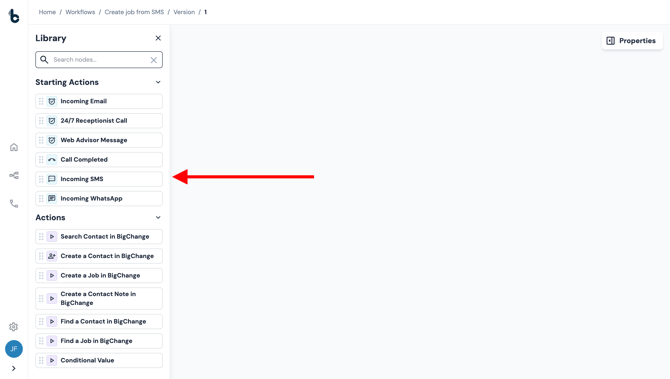
Configuration
There is no configuration needed to set up the Incoming SMS Starting action. Simply:
- Open the Workflow Editor.
-
Drag and drop the node to the Workflow Editor empty space.
- Add an Action node and connect it to the Incoming SMS Starting action node.
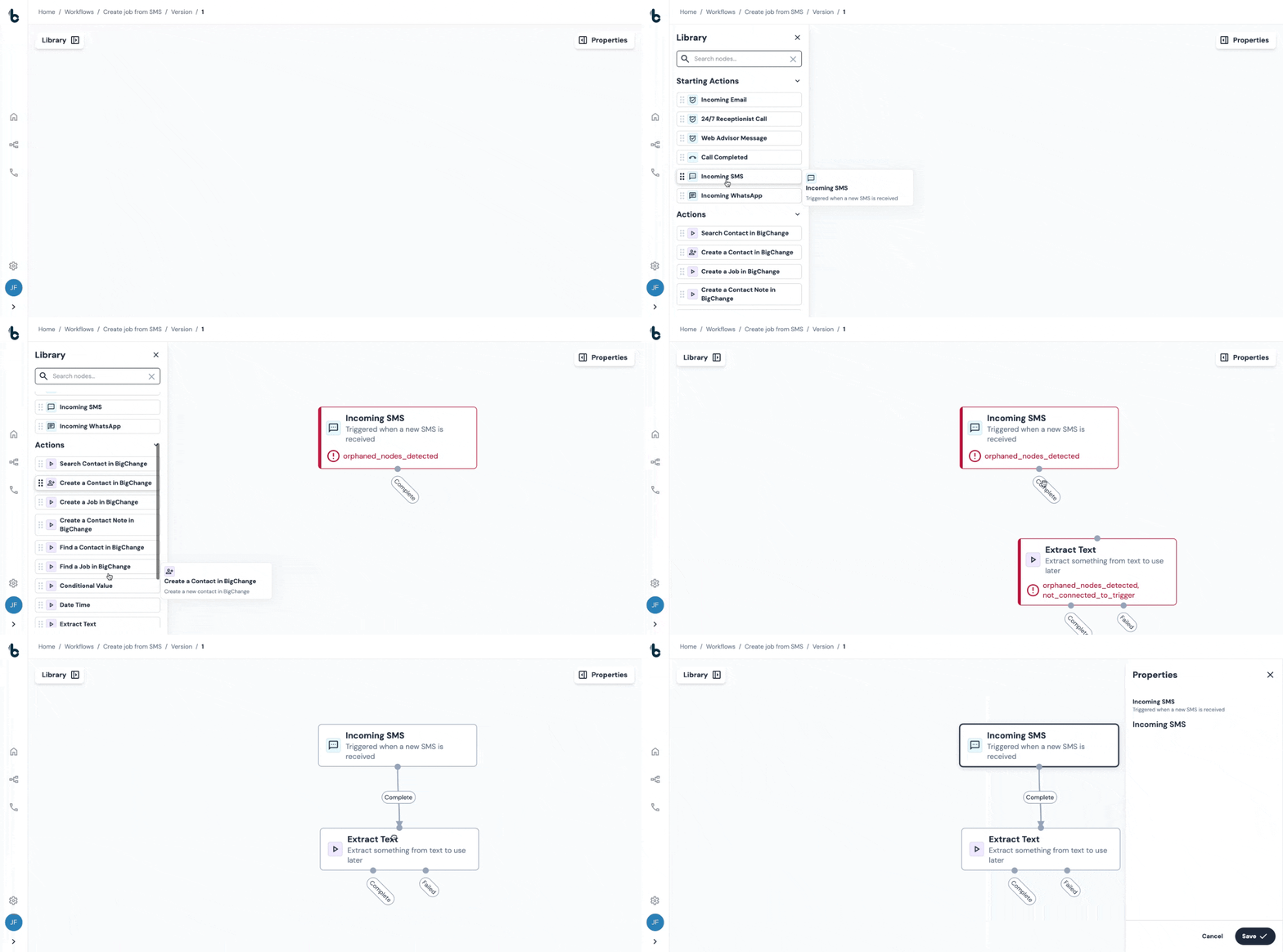
The workflow will now trigger each time a new SMS is received by the phone number set up in your Concierge Support.
Once triggered, you can use the data coming from the SMS to power downstream actions such as AI analysis, notifications to relevant stakeholders, automated replies, or job creation or contact creation in another tool.
Outcomes
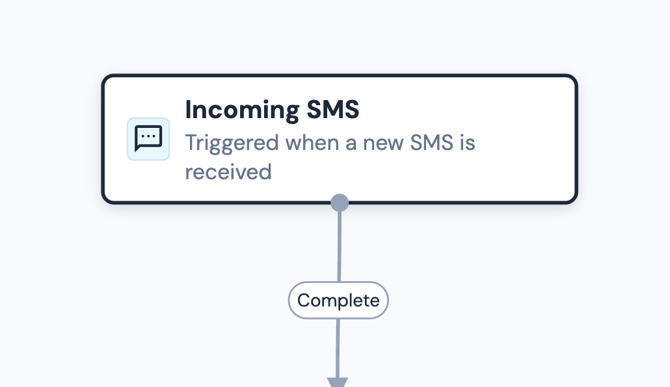
As with all Starting action nodes, this node has only one outcome, which is Complete.
Default variables
The Incoming SMS Starting action provides several outputs which can be used as variables later in your workflow. These variables can be used to map the data into fields of later nodes.
.gif?width=670&height=332&name=chrome-capture-2026-01-12%20(3).gif)
-
From – The phone number that sent the SMS.
-
To – The phone number that received the SMS.
-
Body – The content of the text message.
-
Timestamp – The date and time the SMS was received.
-
Contact Name – The name of the contact (if the contact is already stored in Build Concierge).
-
Contact Address – The contact’s address (if the contact is already stored in Build Concierge).
-
Contact Type – The type of contact (usually a person, but it could also be a business or another segment type).
-
Contact Methods – Available contact methods (phone number, email address, SMS number, WhatsApp number).
-
Contact Imported From – The source the contact was imported from. This will not return a value if the contact was created in Build Concierge. However, if, for example, the contact comes from BigChange, this would show here.
Example uses
Some typical use cases for the Incoming SMS Starting action include:
-
Automatically reply to customer SMS messages using an Extract Text node and a Send Email node.
-
Extract job request information from the SMS to book a job in BigChange or another tool.
-
Route urgent support messages to the right team instantly.
💡 Tip
You can combine the Incoming SMS Starting action with an AI Prompt node to classify intent, extract structured data, or detect sentiment before taking action.